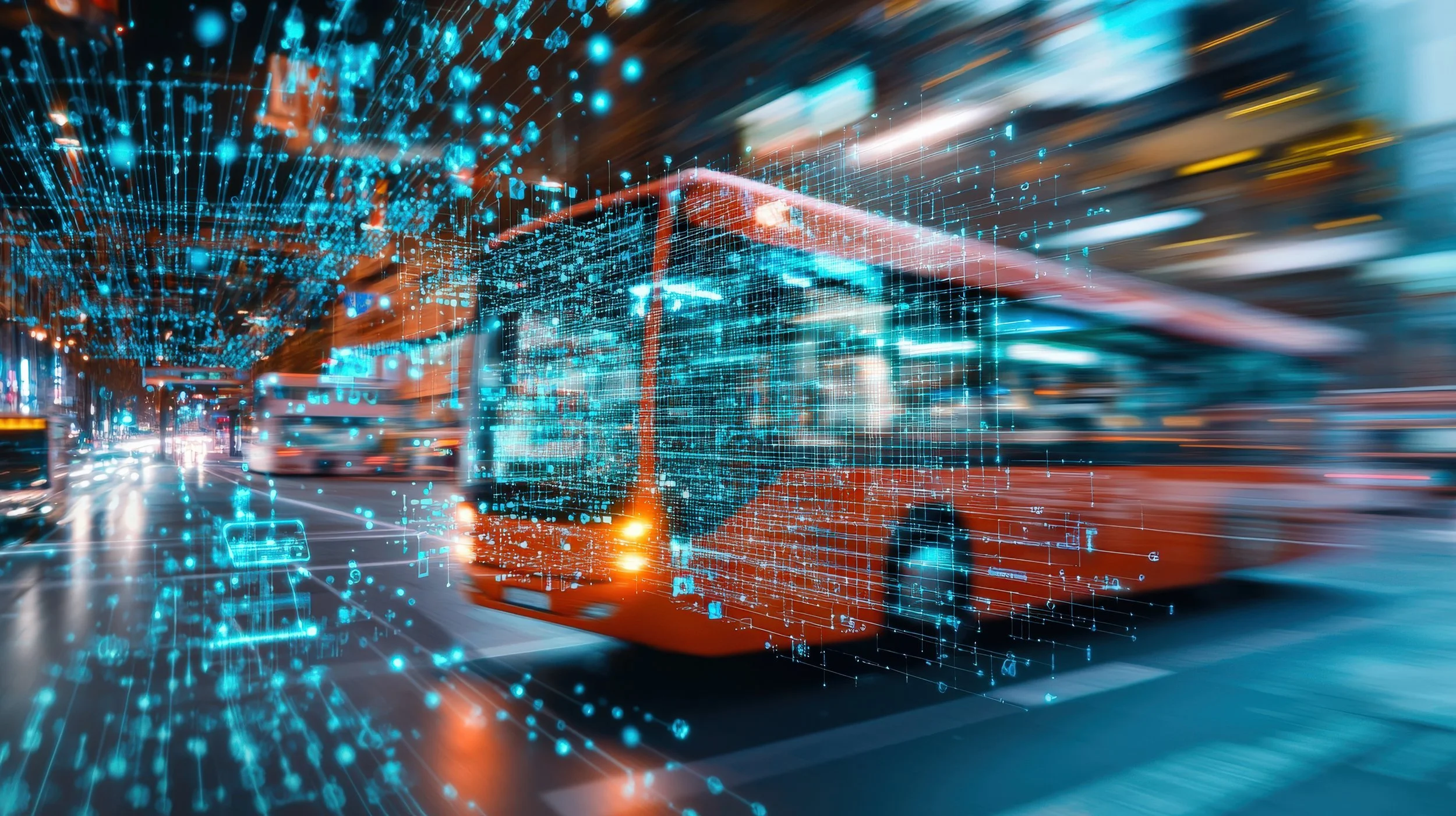
AI in Your Commute: How Maps, Traffic Apps, and Rideshares Use AI to Move You Around
AI in Your Commute: How Maps, Traffic Apps, and Rideshares Use AI to Move You Around
AI is already helping you avoid traffic, estimate arrival times, find faster routes, match with rideshare drivers, predict delays, choose pickup spots, and navigate public transit. Here’s how your commute became a live optimization problem.

Commute AI uses location signals, traffic patterns, routing models, rider demand, driver supply, transit schedules, road closures, and real-time updates to help people move through the world more efficiently.
Key Takeaways
- AI already shapes your commute through maps, traffic predictions, route suggestions, estimated arrival times, rideshare matching, public transit updates, pickup spots, and dynamic pricing.
- Navigation apps use live traffic signals, historical traffic patterns, road data, user reports, closures, speeds, and machine learning to recommend routes.
- Estimated arrival times are predictions, not guarantees. They change as traffic, demand, weather, incidents, and driver behavior change.
- Rideshare apps use AI and optimization systems to match riders with drivers, estimate pickup times, choose pickup points, forecast demand, manage pricing, and support safety systems.
- Public transit apps use schedules, vehicle locations, historical delay patterns, service alerts, and crowd signals to estimate bus and train arrivals.
- Commute AI can save time, reduce uncertainty, improve route planning, and make transportation more efficient, but it can also be wrong, biased toward certain routes, or dependent on sensitive location data.
- The safest approach is to use commute AI as guidance, keep location permissions intentional, verify important trips, and avoid following route suggestions that feel unsafe or impractical.
Your commute is no longer just you, the road, and whatever patience you have left before 9 a.m.
It is also data.
Your map app estimates traffic before you hit it. Your rideshare app matches you with a driver. Your transit app predicts whether the bus is actually coming or simply living its own truth somewhere else. Your navigation system reroutes you around congestion, roadwork, crashes, closures, and slowdowns before you can fully understand why the line of brake lights ahead looks personal.
AI is already moving you around.
It shows up in Google Maps, Apple Maps, Waze, Uber, Lyft, public transit apps, bike-share systems, EV charging planners, delivery routes, and the traffic tools cities use to understand movement at scale.
Most of this feels normal now.
You open an app, enter a destination, and expect it to know the fastest route, the traffic, the ETA, the transit delay, the rideshare price, the pickup time, and whether leaving in 12 minutes will ruin your day.
That expectation exists because AI and machine learning are working in the background.
They analyze patterns from roads, vehicles, trips, riders, drivers, transit schedules, user reports, historical speeds, location signals, and real-time updates. They do not just show you a map. They predict movement.
This article explains how AI shows up in your commute, how maps and traffic apps predict routes, how rideshares match riders and drivers, why ETAs change, where these systems help, where they fail, and what your location data has to do with all of it.
Why Commute AI Matters
Commute AI matters because transportation is one of the most common ways people rely on automated decisions every day.
Most people do not manually compare every possible route, traffic pattern, turn, station, driver, pickup point, surge zone, and arrival estimate. Apps do that work instantly and continuously.
Commute AI can influence:
- Which route you take
- When you leave
- How long your trip takes
- Which transit option you choose
- Which rideshare driver you are matched with
- Where you are picked up
- How much a ride costs
- Whether you avoid a traffic incident
- Which roads get more traffic
- How cities understand movement patterns
This makes AI in commuting practical and powerful.
It can save minutes, reduce frustration, improve planning, and help people move through complex transportation systems.
But it can also shape behavior in ways most people do not think about.
If an app tells thousands of drivers to take the same side street, that street changes. If a rideshare app forecasts high demand in one area, driver movement changes. If a map app prioritizes speed over simplicity, it may send people through routes they would not have chosen themselves.
Commute AI does not just observe transportation.
It can redirect it.
What Is Commute AI?
Commute AI refers to artificial intelligence, machine learning, optimization, prediction, and automation used to help people move from one place to another.
It appears inside navigation apps, rideshare platforms, transit apps, traffic systems, delivery logistics, bike and scooter platforms, EV route planners, and smart city tools.
Commute AI can help with:
- Traffic prediction
- Route optimization
- Estimated arrival times
- Incident detection
- Transit delay prediction
- Rideshare matching
- Pickup and drop-off suggestions
- Demand forecasting
- Dynamic pricing
- Driver positioning
- Safety monitoring
- EV charging route planning
- Location-based recommendations
Some of this is prediction.
The system estimates what is likely to happen next: traffic, delays, demand, prices, arrival times, or pickup reliability.
Some of it is optimization.
The system tries to find the best route, best driver match, best pickup point, best charging stop, or best sequence of steps under changing conditions.
Some of it is personalization.
The system learns your usual routes, favorite places, commute times, transportation preferences, and patterns.
Put together, commute AI is the technology layer that helps transportation apps move from static maps to live decision systems.
AI in Maps and Navigation Apps
Navigation apps use AI to turn maps into live guidance.
A basic map tells you where roads are. A modern navigation app tells you which route is faster right now, which road is congested, where a crash was reported, how long your trip may take, and whether an alternate route is worth it.
Maps and navigation AI can help with:
- Route recommendations
- Traffic prediction
- Turn-by-turn directions
- Road closure alerts
- Incident detection
- Speed pattern analysis
- Lane guidance
- Transit options
- Walking and biking routes
- Nearby place recommendations
- Travel time comparisons
- Route alternatives
Google has described how Maps combines live traffic conditions with historical traffic patterns and machine learning to predict what traffic may look like later in your trip. That matters because the road may be clear now but congested by the time you reach it.
This is what makes modern navigation feel more intelligent.
The app is not only asking, “What is happening right now?”
It is also asking, “What is likely to happen by the time you get there?”
That prediction is useful.
It is also why your ETA can change while you are already moving.
Traffic Prediction and Real-Time Routing
Traffic prediction is one of the core AI tasks behind navigation apps.
Traffic changes constantly. Roads slow down because of rush hour, weather, crashes, construction, events, school schedules, delivery activity, lane closures, and thousands of individual decisions happening at once.
Traffic AI may use signals such as:
- Historical traffic patterns
- Live vehicle speeds
- Aggregated location data
- Road segment data
- Time of day
- Day of week
- Reported incidents
- Construction and closures
- Weather
- Special events
- Transit disruptions
- User reports
The system compares what usually happens on a road with what is happening right now.
If a highway is normally fast at 10 a.m. but suddenly slowing, the app may infer a crash, congestion, closure, or unusual delay. It can then test whether another route is likely to be better.
This is why navigation apps can feel ahead of you.
They may reroute before you can see the cause.
But traffic prediction is still prediction.
A faster route can become slower. A side street can clog after too many drivers are sent there. A reported crash can clear. A weather delay can intensify. A route can be mathematically faster and still feel worse because it requires more turns, narrower streets, or difficult merges.
The app can estimate traffic.
It cannot guarantee calm.
How AI Estimates Arrival Times
Estimated arrival times are one of the most familiar AI predictions in daily life.
An ETA looks simple, but it is built from many moving parts. The app has to estimate how long each road segment will take, how traffic will change, how fast vehicles are moving, what delays may occur, and whether the current route remains best.
ETA systems may consider:
- Current traffic speed
- Historical travel times
- Road type
- Turn complexity
- Traffic lights
- Incidents
- Construction
- Weather
- Driver behavior patterns
- Transit schedules
- Pickup time estimates
- Walking time to pickup or stations
ETAs are not fixed promises.
They are live estimates updated as conditions change. That is why your arrival time may shift after a crash, a slowdown, a missed turn, or a better route appearing.
Rideshare ETAs add more complexity.
The app has to estimate when the driver will reach you, how traffic affects the pickup, whether the driver accepts and completes the trip, where the best pickup location is, and how long the actual ride will take.
A good ETA reduces uncertainty.
It does not remove uncertainty.
Rerouting, Incidents, and Road Conditions
Rerouting is where commute AI becomes active.
The app is not just showing you information. It is making a recommendation that changes your behavior.
Rerouting may happen because of:
- Traffic jams
- Crashes
- Road closures
- Construction
- Police activity
- Flooding or weather
- Transit delays
- Slowdowns ahead
- Better route openings
- Unexpected congestion
Navigation apps also rely on user reports and road data to detect incidents.
Waze, for example, is known for crowdsourced reports from drivers. Other apps use combinations of live speed data, road sensors, user feedback, official data, and machine learning to identify what may be happening.
This can save time.
It can also create side effects.
If many drivers are rerouted onto the same local road, the alternate route can become congested. If an app chooses speed over simplicity, it may send drivers through residential streets or confusing turns. If an incident report is outdated, the reroute may be unnecessary.
Rerouting is useful.
But drivers still need judgment.
If a route feels unsafe, illegal, too narrow, poorly lit, or impractical, do not follow it just because an app has confidence and a blue line.
AI in Public Transit and Bus Delays
AI also helps public transit apps predict arrivals, delays, crowding, and route options.
Transit is difficult to predict because buses and trains are affected by traffic, passenger boarding, signal delays, staffing, vehicle availability, maintenance issues, weather, and service disruptions.
Transit AI can help with:
- Bus arrival predictions
- Train delay estimates
- Service alerts
- Route options
- Transfer timing
- Crowding estimates
- Walking time to stops
- Delay forecasting
- Missed connection predictions
- Alternative transit suggestions
Google Research has described using machine learning to predict bus delays in Google Maps across many cities, improving transit timing for users who need more accurate arrival information.
This matters because transit reliability is not just convenience.
It affects work, school, appointments, childcare, and whether people can plan their day without leaving absurdly early just in case the bus decides to become theoretical.
Still, transit predictions can be wrong.
A bus may get stuck. A train may be held. A service alert may arrive late. A transfer may look possible on the app and fail in real life.
Transit AI helps reduce uncertainty.
It does not eliminate the chaos of shared infrastructure.
Pickup Spots, Drop-Offs, and Trip Efficiency
Rideshare apps also use AI to improve pickup and drop-off locations.
A pin on a map is not always a good place for a car to stop. The app may suggest a nearby corner, entrance, loading zone, or safer pickup location to reduce confusion, traffic, or waiting time.
Pickup and drop-off AI can consider:
- Road access
- Traffic flow
- One-way streets
- Safe stopping areas
- Building entrances
- GPS accuracy
- Driver approach direction
- Passenger walking distance
- Event crowds
- Airport or venue rules
- Historical pickup success
This matters because GPS pins are not perfect.
Urban canyons, large buildings, crowded venues, airports, stadiums, and apartment complexes can make pickups difficult. A good pickup spot can reduce wait time and prevent the ritual of texting, “I’m by the entrance,” while both people are somehow by different entrances.
But suggested pickup spots can still be inconvenient.
The app may not understand accessibility needs, luggage, weather, safety concerns, or whether walking two blocks at night is not reasonable.
Efficiency should not override safety or accessibility.
If the suggested pickup spot does not work, adjust it when possible.
Dynamic Pricing and Demand Forecasting
Rideshare pricing is also shaped by AI and marketplace prediction.
Prices can change based on demand, driver availability, trip distance, time, traffic, location, weather, events, airport activity, and expected supply. The system forecasts where riders may request trips and where drivers may be needed.
Dynamic pricing may be influenced by:
- Rider demand
- Driver supply
- Time of day
- Weather
- Events
- Airport arrivals
- Traffic
- Trip length
- Pickup difficulty
- Local marketplace conditions
- Driver incentives
The goal is usually to balance supply and demand.
When many riders request trips and fewer drivers are available, prices may rise. Higher prices can encourage more drivers to move toward busy areas, while also discouraging some riders from requesting trips.
That makes sense from a marketplace perspective.
From a rider perspective, it can feel like the app saw one drop of rain and decided the airport ride now requires financial reflection.
Dynamic pricing is not random.
But it can feel opaque because users do not see every signal behind the price.
If price matters, compare options, wait a few minutes, check transit, split rides when appropriate, or schedule ahead if the app offers it and the price is acceptable.
Safety, Fraud, and Trust Signals
Transportation apps also use AI for safety, fraud detection, identity checks, and trust signals.
Rideshare platforms need to detect suspicious activity, account abuse, unsafe behavior, fake accounts, payment fraud, unusual trip patterns, and support issues. Navigation apps may also use systems to detect fake reviews, manipulated place data, or misleading reports.
Safety and trust systems may help with:
- Fraud detection
- Account security
- Identity verification
- Suspicious trip patterns
- Payment risk
- Support automation
- Incident detection
- Review integrity
- Driver and rider ratings
- Policy enforcement
These systems can protect users and platforms.
But they can also create problems if they make mistakes. A legitimate user may be flagged incorrectly. A support issue may be routed poorly. A driver or rider may not understand why an action was taken.
Safety AI needs transparency, appeal processes, and human review when decisions affect access, income, or safety.
Automation can help detect risk.
It should not become an unchallengeable verdict.
EV Routing, Charging, and Battery Predictions
AI is also becoming more important for electric vehicle routing.
EV trips require more than distance and traffic. The system may need to estimate battery use, charger availability, charging speed, elevation, weather, vehicle model, current battery percentage, and how long the driver should stop.
EV routing AI can help with:
- Battery range estimates
- Charging stop suggestions
- Charging duration estimates
- Charger availability
- Route energy consumption
- Elevation impact
- Weather impact
- Traffic impact
- Vehicle-specific range models
- Remaining battery predictions
This can reduce range anxiety.
Instead of guessing whether a route is realistic, EV drivers can get route plans that include charging stops and expected battery levels.
But EV predictions can still be wrong.
Driving speed, weather, heater or air conditioning use, terrain, traffic, battery condition, and charger reliability can all affect the trip.
For important EV trips, plan with a buffer.
AI can help you get there.
It should not be the only thing standing between you and a low-battery warning in the middle of nowhere.
Personalized Commute Suggestions
Commute apps can personalize suggestions based on your behavior.
Your phone may learn where you work, when you leave, which routes you prefer, what transit options you use, when you drive, where you park, and which places you visit often.
Personalized commute AI can help with:
- Commute time alerts
- Leave-now reminders
- Frequent destination suggestions
- Route preferences
- Traffic alerts for usual routes
- Transit departure reminders
- Parking suggestions
- Calendar-based travel time
- Nearby stop or station suggestions
- Location-based recommendations
This can be helpful when it saves you from checking the same route every day.
If traffic is worse than usual, the app can warn you. If your calendar includes an appointment, your phone may estimate travel time. If you usually take a train, a transit app may surface the next departure.
But personalization depends on tracking patterns.
That means commute convenience often comes from location history, calendar data, app activity, and repeated behavior.
If that tradeoff feels too intrusive, review location settings and personalization controls.
A commute app should help you move.
It does not need unlimited access to your entire life to do that.
The Benefits of Commute AI
Commute AI is useful because transportation is full of uncertainty.
Traffic changes. Drivers move. Trains delay. Buses bunch. Roads close. Weather shifts. Events end. Demand spikes. People miss turns. A good commute app helps manage that uncertainty in real time.
Benefits can include:
- Faster routes
- More accurate arrival estimates
- Better traffic awareness
- Alternative route suggestions
- Improved transit predictions
- Easier rideshare matching
- Better pickup coordination
- Reduced travel uncertainty
- Safer route planning
- EV charging support
- Less manual planning
- More accessible mobility options
The best commute AI reduces friction.
It helps you decide when to leave, which route to take, whether transit is realistic, whether rideshare makes sense, and how delays may affect your day.
It is not perfect.
But when it works, it turns movement into something more predictable.
The Risks and Limitations
Commute AI has limits.
Traffic, transit, rideshares, and city movement are messy. Models can predict a lot, but they cannot control every driver, road, bus, train, storm, closure, or human decision.
Risks include:
- Wrong ETAs
- Bad reroutes
- Unsafe route suggestions
- Overcrowded alternate routes
- Inaccurate transit arrivals
- Rideshare pickup confusion
- Dynamic pricing frustration
- Location privacy concerns
- Accessibility needs being missed
- Overreliance on apps
- Driver distraction
- Opaque platform decisions
The biggest mistake is treating the app as always right.
Navigation apps can send you through roads you do not want to drive. Transit predictions can miss service disruptions. Rideshare apps can suggest pickup spots that are inconvenient or unsafe. ETAs can shift in the middle of a trip.
Commute AI is best used as decision support.
It should not replace local judgment, safety awareness, accessibility needs, or common sense.
Location Data, Privacy, and Movement Patterns
Commute AI depends heavily on location data.
That data can be sensitive because where you go can reveal a lot about your life.
Location and commute data may reveal:
- Home location
- Work location
- School location
- Medical visits
- Religious visits
- Social routines
- Exercise habits
- Travel patterns
- Daily schedule
- Frequently visited places
- Ride history
- Transit habits
Navigation and rideshare apps need location access to work well.
But users should still manage permissions intentionally.
Important settings to review include:
- Precise location access
- Background location access
- Location history
- Saved places
- Ride history
- Search history
- Ad personalization
- App tracking permissions
- Calendar access
- Contact access
The goal is not to avoid all location services.
The goal is to avoid giving every app more location access than it needs.
For many apps, “while using” access may be enough. For others, background access may be useful if you want proactive commute alerts. The right choice depends on the feature and your comfort level.
Movement data is personal.
Treat it that way.
How to Use Commute AI More Safely
You do not need to stop using maps, traffic apps, or rideshares.
You just need to use them with awareness.
Commute AI is helpful, but it should not remove your judgment from the trip.
Use commute AI more safely by following practical steps:
- Check multiple route options for important trips.
- Leave extra time when the trip matters.
- Do not follow reroutes that feel unsafe or illegal.
- Review location permissions for maps, transit, and rideshare apps.
- Use “while using” location access when background tracking is not needed.
- Be careful sharing live location links.
- Confirm rideshare driver, license plate, and vehicle before entering.
- Adjust pickup spots if the suggested location feels unsafe or inaccessible.
- Check transit service alerts before relying on a tight connection.
- Use official transit or airport guidance when app directions conflict.
- Plan EV charging with extra buffer.
- Do not interact with navigation apps while driving unless using voice controls or safely stopped.
The best rule is simple:
Let the app guide.
Do not let it override safety.
What Comes Next
Commute AI will keep getting more predictive, more personalized, and more integrated across transportation systems.
The next phase will likely include smarter maps, better rideshare optimization, more EV support, more city-level traffic systems, and more AI inside cars.
1. More conversational navigation
Map apps will increasingly let users ask complex questions about routes, parking, stops, traffic, and places along the way.
2. Better traffic prediction
Routing systems will improve their ability to forecast future congestion, not just current conditions.
3. More real-time lane and road guidance
Vehicles with built-in cameras and software may offer more precise lane-level navigation and road awareness.
4. Smarter rideshare dispatch
Rideshare platforms will keep improving driver-rider matching, pickup reliability, pricing, and marketplace forecasting.
5. More EV route intelligence
EV route planners will better estimate range, charging stops, charger reliability, battery use, weather impact, and charging time.
6. More multimodal commuting
Apps will combine walking, biking, scooters, trains, buses, rideshares, and driving into more seamless route options.
7. More smart city integration
Cities may use AI to analyze congestion, optimize signals, manage transit flow, and respond to road incidents.
8. More privacy debates
As transportation systems depend more on location and movement data, users and regulators will keep asking how that data is collected, stored, shared, and used.
The future commute will not just be mapped.
It will be predicted, optimized, personalized, and constantly updated.
That can make transportation easier.
It also makes location privacy more important.
Common Misunderstandings
Commute AI is familiar enough that people often trust it without thinking about what it is actually doing.
“The fastest route is always the best route.”
No. The fastest route may include difficult turns, local streets, unsafe areas, poor lighting, confusing merges, or routes that do not fit your comfort level.
“ETAs are promises.”
No. ETAs are predictions based on available data. They can change as traffic, transit, weather, incidents, and driver behavior change.
“The nearest rideshare driver is always the one I get.”
No. Rideshare matching can consider pickup time, driver availability, traffic, acceptance likelihood, direction, marketplace conditions, and other constraints.
“Traffic apps know everything happening on the road.”
No. Apps rely on data signals and reports. They can miss new incidents, receive outdated reports, or misjudge how traffic will change.
“Transit predictions are always accurate.”
No. Transit predictions can be affected by traffic, service disruptions, staffing, vehicle issues, boarding delays, and data quality.
“Location data is harmless because everyone uses maps.”
No. Location data can reveal sensitive patterns about where you live, work, worship, receive care, travel, and spend time.
“Dynamic pricing is random.”
No. Rideshare prices are influenced by demand, supply, time, traffic, location, events, weather, and marketplace conditions, though the exact calculation may not be transparent to users.
Final Takeaway
AI is already part of your commute.
It helps maps predict traffic, routes update in real time, transit apps estimate delays, rideshare platforms match riders and drivers, EV tools plan charging stops, and your phone suggest when to leave.
This can make daily travel easier.
AI can save time, reduce uncertainty, improve planning, help avoid congestion, make rideshares more efficient, and give commuters more options than static maps ever could.
But commute AI is not magic.
It can be wrong. It can reroute too aggressively. It can underestimate delays. It can suggest pickup spots that are not ideal. It can depend on sensitive location data. It can shape traffic patterns by sending many people through the same roads.
For beginners, the key lesson is simple: your commute is being optimized by systems that predict movement.
Use the predictions.
Keep your judgment.
Check your privacy settings. Verify important trips. Watch for unsafe reroutes. Leave buffer when it matters. Be intentional about location access.
AI can help you get where you are going.
It should not be the only thing deciding how you move through the world.
FAQ
How does AI show up in my commute?
AI shows up through maps, traffic predictions, route recommendations, ETAs, transit delay estimates, rideshare matching, pickup suggestions, dynamic pricing, EV routing, and personalized commute alerts.
How do navigation apps predict traffic?
Navigation apps can use live traffic conditions, historical traffic patterns, road segment data, user reports, time of day, incidents, closures, and machine learning to estimate traffic and recommend routes.
Why do ETAs change during a trip?
ETAs change because traffic, crashes, construction, weather, road speeds, turns, transit delays, and route conditions can change while you are already moving.
How do rideshare apps match riders and drivers?
Rideshare apps may consider rider location, driver location, estimated pickup time, traffic, driver availability, route direction, ride type, cancellation risk, demand, and marketplace conditions.
Why do rideshare prices change so much?
Rideshare prices can change based on rider demand, driver supply, traffic, weather, events, time of day, pickup location, trip distance, and other marketplace signals.
How does AI help public transit apps?
Transit apps can use schedules, live vehicle locations, historical delays, service alerts, traffic data, and machine learning to estimate arrival times, delays, and route options.
How can I protect my commute data?
Review location permissions, limit background access when possible, manage location history, check saved places, be careful with live location sharing, and use only the access level each app actually needs.


A traffic light with the word "AI" lit green against a blue sky. By Tomo